- info@lifetrenz.com

One Secure Workspace for Modern Clinical Care
Lifetrenz Doctor is a physician-centric clinical platform designed to simplify consultations, inpatient care, emergency workflows, telemedicine, and clinical documentation through one connected digital workspace.
Built exclusively for licensed healthcare professionals, the platform enables doctors to access patient information, place orders, collaborate with teams, and manage the complete patient journey from consultation to discharge.
Everything Clinicians Need. One Connected Platform.
Modern healthcare requires clinicians to move seamlessly between outpatient consultations, inpatient rounds, emergency care, diagnostics, referrals, and follow-ups. Lifetrenz Doctor brings every clinical workflow together through one secure and intuitive platform.
Platform Highlights
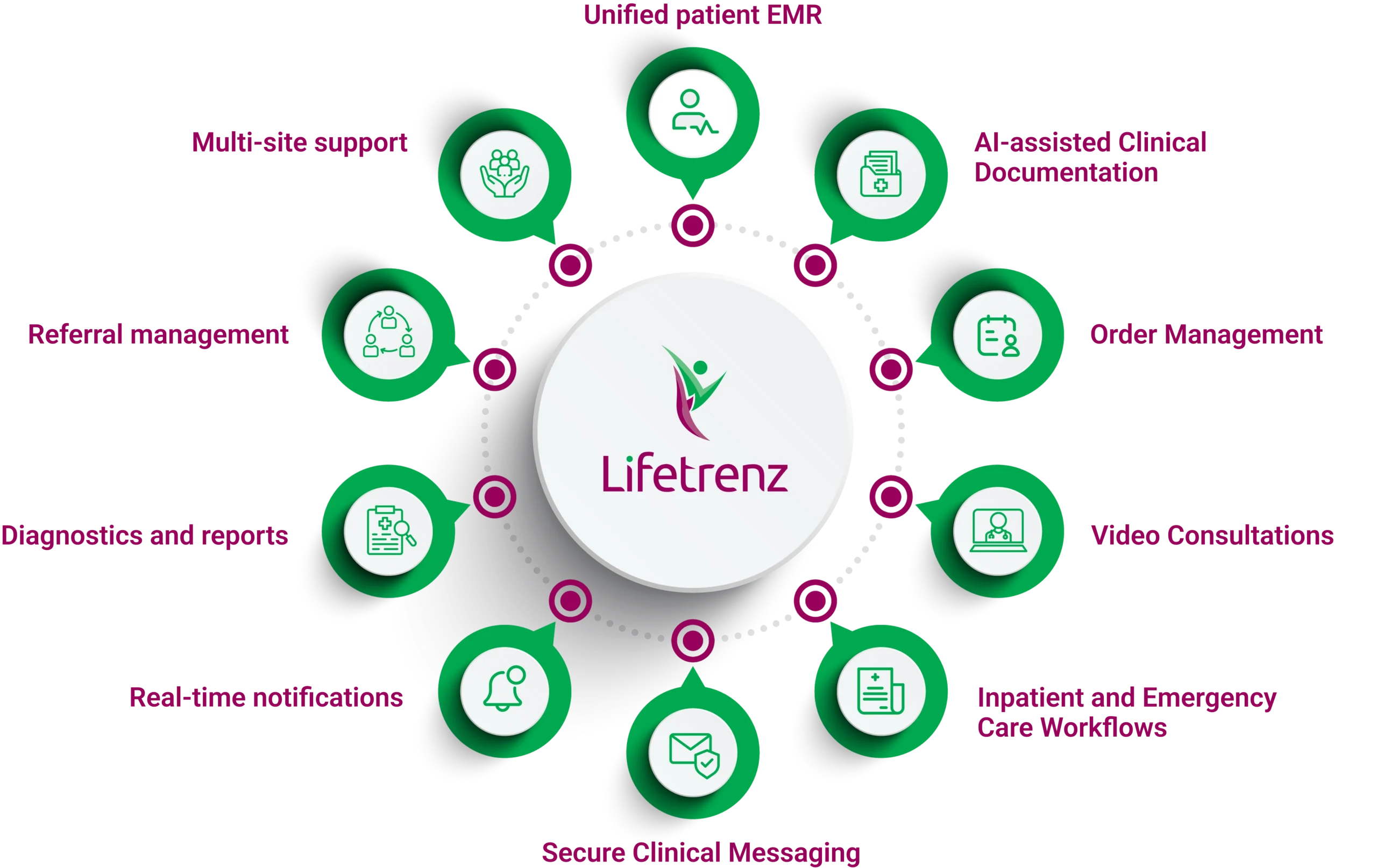
Designed Around the Way Doctors Work
Healthcare professionals shouldn’t have to switch between multiple systems to access critical information. Lifetrenz Doctor provides a connected clinical workspace that enables physicians to manage patient care efficiently while reducing administrative complexity.
Unified Electronic Medical Record (EMR)
Access the complete patient record from a single screen.
- Medical history, allergies, and diagnoses
- Vitals, observations, and clinical notes
- Medications, orders, and procedures
- Laboratory and radiology reports
- Complete clinical timeline
AI-Assisted Clinical Documentation
Reduce documentation effort with intelligent tools that help physicians capture clinical information faster.
- Voice-based clinical dictation
- Clinical document upload
- Faster organization of patient information
- AI-assisted structured documentation
- Reduced manual documentation effort
Order Management
Place, review, and manage clinical orders directly from the patient EMR.
- Medication and laboratory orders
- Radiology and diagnostic investigations
- Nursing, OT, and procedure orders
- Dialysis and immunization orders
- Favorites, order tracking, and cosign workflows
Teleconsultation
Conduct secure video consultations while keeping the patient record accessible throughout the interaction.
- Start video consultations from scheduled appointments
- View patient history during consultations
- Access clinical reports in real time
- Continue clinical documentation seamlessly
- Maintain consultation records within the EMR
Outpatient Care Management
Manage appointments, consultations, and follow-ups from one clinical workspace.
- Appointment schedules and OP consultations
- Pre-consult patient readiness tracking
- Consultation queue management
- Follow-up coordination
- Consultation summaries
Inpatient & Emergency Care
Manage inpatient and emergency workflows with real-time access to patient information.
- Admission and daily round management
- Admission and daily round management
- Discharge workflows and summaries
- ER triage and case prioritization
- Critical alerts and emergency documentation
Diagnostics & Reports
Access diagnostic information and clinical reports whenever you need them.
- Laboratory and radiology reports
- Clinical trend charts
- Clinical summaries
- Secure PDF viewing and sharing
- Print and report access from the EMR
Referrals & Care Coordination
Coordinate referrals and track patient progress across departments and facilities.
- Review and accept incoming referrals
- Decline referrals with case visibility
- Track outgoing referral status
- Track outgoing referral status
- Access relevant case information
Smart Notifications & Collaboration
Stay updated and communicate securely with patients and care teams.
- Real-time patient and clinical notifications
- Critical alerts and task updates
- Secure text messaging
- Voice and image sharing
- Team-based communication
Multi-Site Practice Support
Manage clinical activities across multiple hospitals and clinics from one app.
Available Information
- Switch between healthcare locations
- Securely access patient records
- Manage appointments across sites
- Maintain continuity across locations
- Support multi-site clinical practice
Quick & Secure Setup
Get started quickly with flexible login and QR-based configuration options.
Available Information
- Username and password login
- Fingerprint authentication
- Face ID login
- QR-code login
- Instant QR-based hospital configuration
Enterprise-Grade Security
Protect sensitive patient information with security built into every interaction.
Available Information
- AES encryption
- HTTPS-secured communication
- Secure token authentication
- Role-based access control
- Encrypted data communication
Frequently asked questions
Getting Started
Who is Lifetrenz Doctor designed for?
Lifetrenz Doctor is designed for licensed physicians, consultants, and healthcare professionals.
How can I log in?
You can log in using:
- Username and password
- Fingerprint authentication
- Face ID
- QR-code login
How do I connect the app to my hospital?
Simply scan the QR code provided by your hospital IT team.
Can I use the app across multiple hospitals?
Yes. Lifetrenz Doctor supports seamless switching between multiple hospital locations.
EMR & Patient Records
What information is available in the EMR?
The EMR includes:
- Patient history
- Allergies
- Diagnoses
- Vitals
- Orders
- Lab reports
- Radiology reports
- Clinical timeline
How do I view lab and radiology reports?
Open the patient EMR and navigate to the Reports or Diagnostics section.
Can I export documents?
Yes. Clinical documents can be viewed, printed, and shared as PDFs.
Appointments & Consultations
How can I view appointments?
Go to the OP Consult section and filter appointments by patient or date.
How do I start a video consultation?
Open the scheduled appointment and tap Start Video Call.
What is the Pre-Consult Queue?
The Pre-Consult Queue displays patients waiting for consultation along with their readiness status.
Inpatient & Emergency Care
How do I manage admitted patients?
Use the Inpatient module to manage admissions, daily rounds, and discharge workflows.
How do I discharge a patient?
Open the patient record, initiate the discharge workflow, and generate the discharge summary.
How does ER triage work?
Doctors can assign triage levels, create alerts, and document emergency cases directly within the EMR.
Orders & Clinical Workflows
What orders can I place?
You can place:
- Medication orders
- Lab orders
- Radiology requests
- Nursing instructions
- OT and procedure requests
- Dialysis orders
- Immunization orders
Can I save frequently used orders?
Yes. The My Top section allows you to save frequently used orders.
What are Cosign Orders?
Cosign Orders are orders awaiting physician approval before execution.
Reports & Diagnostics
How do I view lab and radiology reports?
Open the patient EMR and navigate to the Reports or Diagnostics section.
Can I export documents?
Yes. Clinical documents can be viewed, printed, and shared as PDFs.
Referrals
How do referrals work?
Referred In: Accept or decline referrals.
Referred Out: Track referral status in real time.
Notifications & Messaging
How do notifications work?
Real-time alerts and notifications are available in the notification panel.
How can I send messages?
Go to Inbox → Chat to send text messages, voice notes, or images.
Account & Security
How do I update my profile?
Navigate to:
Accounts → Profile
How do I enable biometric login?
Biometric login becomes available after your first successful login.
The app is not connecting. What should I do?
Try the following:
- Check your internet connection
- Rescan the QR code
- Restart the application
Is my data secure?
Yes. Lifetrenz Doctor uses AES encryption, HTTPS communication, and secure token authentication to protect patient information.
Designed Around the Way Doctors Work
Healthcare professionals shouldn’t have to switch between multiple systems to access critical information. Lifetrenz Doctor provides a connected clinical workspace that enables physicians to manage patient care efficiently while reducing administrative complexity.
Technical Support
- support@lifetrenz.com
- Monday – Friday, 8:00 AM – 8:00 PM
When contacting support, please include:
- Your name and hospital
- Issue description
- Steps to reproduce
- Screenshot (if available)
- Device details
Hospital IT Support
Contact your hospital administrator for:
QR code setup
Login credentials
Configuration issues
Feedback & Feature Requests
- contact@lifetrenz.com
- dWise Healthcare IT Solutions Pvt Ltd., 1st Floor, MSR Plaza, #51-52, Off MSR Road, Gokula, Bangalore – 560054
Lifetrenz
Enterprise healthcare IT solutions powering hospitals, clinics, and physician workflows across care settings.
DOCTOR APP
CONTACT
- contact@lifetrenz.com
- Mon – Fri, 8 AM – 8 PM
- 1st Floor, MSR Plaza
- Gokula, Bangalore – 560054